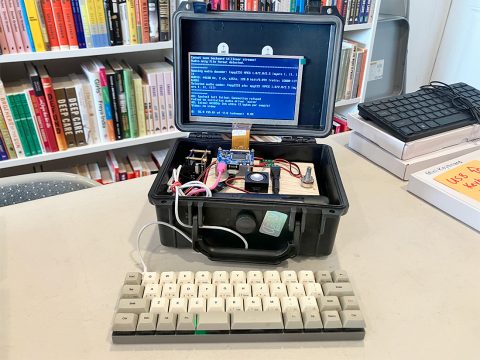
Cyberdecks (a.k.a. DIY laptops) are having a moment on social media! That means lots of people are getting interested in single-board computers and Linux who may never have heard of them before. Since we’ve been getting so many questions about cyberdecks at the shop, we decided to launch a Cyberdeck Meetup at Iffy Books in May. We’ll meet every 4th Saturday from 10:30 a.m. to 12:30 p.m.
We started the meetup by asking everyone what they’re planning/hoping to do with their cyberdeck. Here’s what they said:
- Watch movies & TV shows
- Write with less distraction
- Attach antennas and do RF sniffing
- Make a device with a *lot* of different ports
- Do Bluetooth sniffing to detect when people/devices are nearby
- Make a device with cheaper components than a laptop
- Make a device with really good battery life
- Find a use for a box of Raspberry Pis in one’s closet
- DJ a party with Mixxx
- Play video games (e.g., 8- and 16-bit ROMs)
Only one person (Kevin!) had a working cyberdeck at our first meetup, with a 7-inch display mounted in the lid of a waterproof plastic box. The rest of us came with scattered parts and ideas. One person is sidestepping the size constraint issue entirely by using a typewriter-sized plastic case that will easily fit a full-size keyboard. Others are thinking about using cigar boxes as cases, which look cool but tend to be on the small side.
Next we talked about our progress and swapped ideas. Here are some pieces of software we discussed:
- dillo, a minimal web browser that wasn’t working(?) when someone tested it during the meeting
- w3m, a trusty text-based web browser
- offpunk, a command-line browser with lo-fi images designed for downloading web pages in bulk and reading offline later
- brow.sh, a text-based web browser with pixelated images and JavaScript support
- DietPi, a lightweight Debian-based Linux distro for a wide range of single-board computers
- LibreOffice for word processing and editing spreadsheets (if your cyberdeck OS has a graphical user interface)
Is it possible to connect your cyberdeck to the internet via the cell network? Yes! Here are two ways:
- Use a cellular modem with a Google Fi SIM card
- Use Phreeli to get a SIM card without using a real name or address
Someone who’s totally new to Linux and single-board computers asked where to start. We recommended getting a regular Raspberry Pi (not an Orange Pi like we’re using at the shop) and installing Raspberry Pi OS. That’s because the hardware and OS are well documented, and there’s an active online community sharing code and troubleshooting.
If you want to try Linux but you don’t have a single-board computer, you can install Ubuntu or Linux Mint on an old laptop. Any old Windows laptop should work; Chromebooks and Apple hardware are tricky for beginners.
Finally, we talked about video games!
- SuperTuxKart, a MarioKart clone starring Tux, the Linux penguin
- RetroPie, which turns a single-board computer into a retro gaming machine
- DOSBox lets you play games you may remember from schools and libraries in the ’90s, such as Oregon Trail and JezzBall
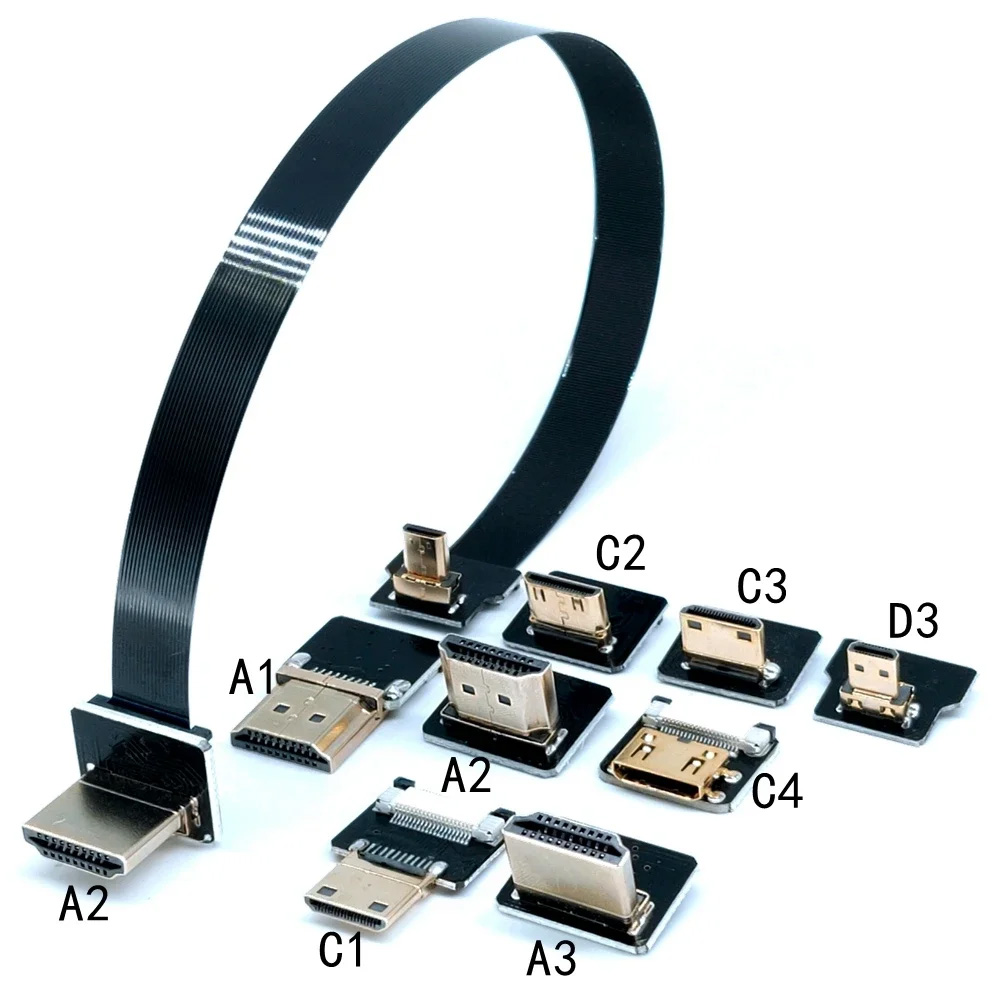
One problem we discussed was that the HDMI cables and Mini/Micro HDMI adapters we’ve been using are quite bulky. We’ve since discovered modular HDMI cables that let you connect any two plugs with a flat ribbon. They’re smaller than the cables we’ve been using and avoid the need for adapters. Pretty neat.
See y’all at the next Iffy Books Cyberdeck Meetup on June 27th!